
Employee Rewards Dashboard Design
The Product:
This product was an employee recognition and rewards platform, designed to foster a culture of motivation and engagement within a workplace.

The Problem:
The previous design for the platform felt outdated and failed to effectively engage users, resulting in low platform utilization.
The Goal:
The project's goal was to develop a modern, dynamic platform designed to captivate users and boost their engagement, encouraging more frequent use.
User Research Summary
I conducted a moderated user research study. I chose this option, so I could get detailed feedback by asking follow up questions, as users completed tasks within the platform. I wanted to observe what difficulties they might run into when they: logged into the platform to check where they rank, submitted claims for points, tried to utilize the “quick points” they had earned, and checked to see what promotions are available. These were the most import tasks that the platform was created for so this is why I wanted to explore those.
Pain Point 1: Difficulty Logging Claims
Three out of five users found the process of submitting claims cumbersome and confusing. Therefore, many of them wanted to exit the platform before they even had a chance to submit a claim.
Pain Point 2: Poor Dashboard Organization
All users found the dashboard to be poorly organized and not intuitive enough, causing them to desire to spend very little time on the platform.
Considering these pain points, the intent was to create a more streamlined design that would simplify the tasks that users needed to complete to increase engagement.
Pain Points of the Previous Design

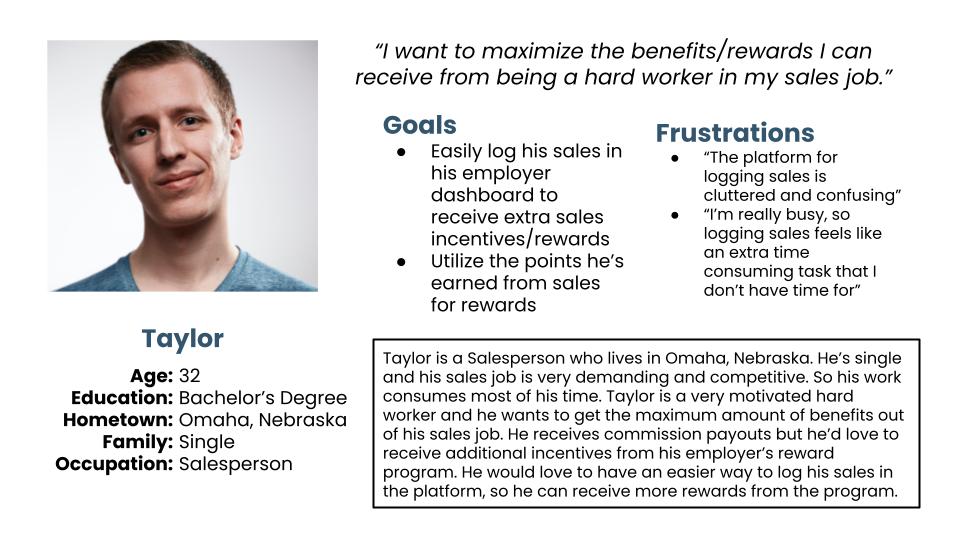
Persona: Taylor
After conducting user research, I analyzed my findings to understand the most pressing goals that users want to accomplish with the product. This persona was created based on the the typical user, a busy salesperson who needed to use the platform to earn employee rewards.
Problem Statement:
Taylor is an ambitious Salesperson, who needs an easy way to receive more rewards/incentives from his sales job. By logging into an employee rewards platform that’s quick and easy to use, he’ll be able to log his sales to receive points and redeem those points for his desired rewards.
User Journey Map
The goal was for the user to easily log sales to earn points and to learn about ways to earn extra points. Another goal was for users to redeem those points for rewards/incentives, while checking their standing amongst their co-workers.

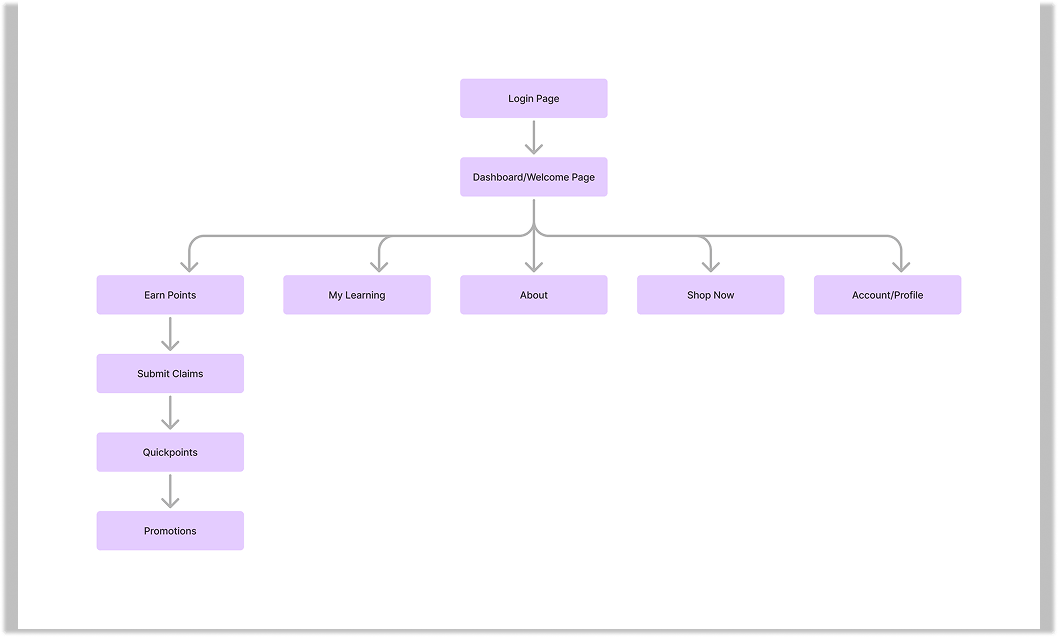
Site Map
The site map was meant to be organized in a way to make it easy for users to earn more points for more rewards/incentives.
Paper Wireframes
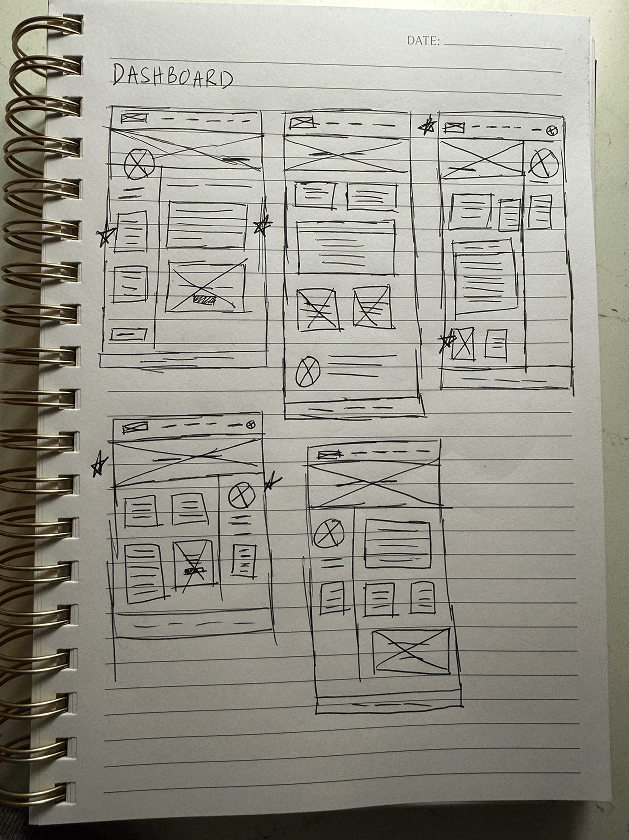
To create the best user experience, I began by wireframing five versions of each page. Then, I went back and reviewed them and selected the features of each page that would allow for the easiest user experience and intuitive layout to create the final wireframe for each page.
To decide what would be most intuitive, I considered the actions people would want to take first when they logged into the platform and what information would be most important to them to access quickly, i.e. logging claims, earning more points, and checking where they rank.
Digital Wireframes
The boxes that mentioned points/claims were made the most prominent on the dashboard and account pages to make it easier for users to utilize the platform to log/earn points. This was also meant to provide a sense of motivation and increased usage of the platform because users can see their numbers quickly and can see where they rank in comparison to others.

Desktop Screen Digital Wireframes

Mobile Screen Digital Wireframes

Low-fidelity Prototype
The user flow was meant to easily guide users through the steps of logging their points and earning more points. This was the focus because after receiving feedback on the old platform, the prompt for submitting claims on the dashboard was easily overlooked. The old platform also didn’t make it clear that actions outside of logging claims (i.e. taking advantage promotions and doing courses under “my learning”) could help users earn more points.

Refining the Design After the Usability Study
During the usability study, users were unclear about the purpose of the “My Learning” section and how that related to earning more points. It seemed that not enough context was provided around that section and how it could benefit users, so they weren’t interested in clicking on it after they browsed the dashboard.
I wanted to make It more clear that the “My Learning” was a way to earn more points by completing courses, so I grouped the two ways to earn more points together-”My Learning” and “Promotions” and I added a heading above them that states “Earn More Points.” The heading also encourages users to keep scrolling to the bottom of the page after they view their place on the leader board because now they’ll be able to understand the benefits of browsing that area of the page.

Desktop Screen Mockups

Mobile Screen Mockups

High-fidelity Prototype
The user flow guides website visitors to log claims and QuickPoints vouchers to earn points, view ways to earn more points, such as promotions.

Accessibility Considerations
The font style was chosen because it’s easy to read and the numbers on the dashboard easily stand out to captivate all users. The font can also be easily read by screen readers for those who have visual impairments. Using a contrast checker tool, colors were chosen to have enough contrast between the background and foreground to make them easy to see for everyone. Orange was used as a button color to bring attention to calls-to-action. The charts (the leader board and submitted claims history) were rearranged on mobile to fit on a smaller screen, while maintaining legibility.
The Impact
The newly designed platform will provide an easy to use, motivating place for employees to earn more rewards from their work. Overall, user study participants were very pleased with the new, modern design.