
Museum Tour Mobile App Design
The Product:
This was a gallery tour app to allow visitors to have an easy viewing experience at an art gallery, while learning more about the art.

The Problem:
I created an art gallery tour app to allow gallery visitors to easily navigate through the gallery, while learning about the art. I wanted to create a product that’s accessible and easy to use for everyone.
The Goal:
The app will let users enjoy an art gallery tour and learn about the art, which will affect users who want a self-guided tour of the gallery. We will measure effectiveness by the number of users who finish the virtual gallery tour and reviews of the app.
User Research Summary
I conducted a moderated user research study in order to observe users and ask them follow up questions. The goal of the research was to determine what difficulties they would encounter when they’re trying to complete the core tasks of the app: completing a gallery tour, using the gallery map, and using the quiz to get a recommended gallery tour. Before conducting the research, I assumed the product would be very straightforward and easy to use. But after the research, I noticed there were more features needed to make the app easier to use.
Pain Point 1:
Many users find gallery tour apps confusing and difficult to use, so they tend to forgo using them for a gallery tour.
Pain Point 2:
Many gallery tour apps aren’t accessible for those with disabilities.
Considering these pain points, the intent was to create an app that would be easy to use that’s also accessible.
Persona & Problem Statement
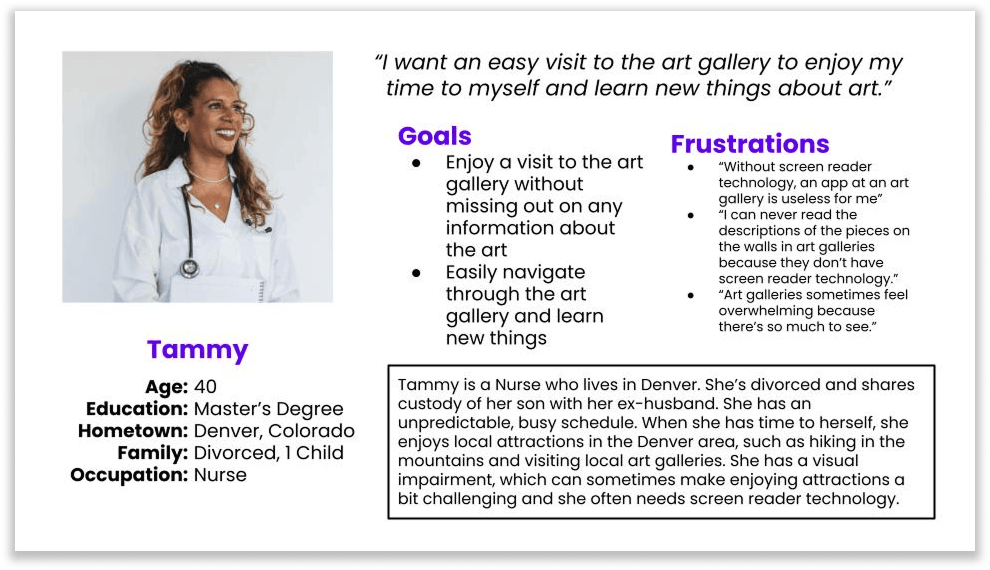
Tammy is a busy mom and nurse with a visual impairment who needs an easy way to enjoy a virtual art gallery tour because navigating through art galleries can be difficult with a visual impairment. points for his desired rewards.
User Journey Map
The goal was for the user to take a virtual art gallery tour and enjoy her visit without difficulty. So the user journey was meant to feel intuitive and effortless.

Paper Wireframes
Each screen was created to be clear and concise, using intuitive layouts that would guide users to the next steps in the app without confusion. To do this, five versions of each screen were designed in order to select the best layout for the final wireframes. Elements such as clear headlines with calls-to-action, buttons that stand out, and bold imagery were used to captivate and communicate with users in an intuitive way to ensure ease of use.


Digital Wireframes
Next, the paper wireframes were made into digital wireframes that incorporated key elements to create the most user-friendly layout for an effortless experience of taking a tour at the gallery.


This screen was created as the last screen a user would see after completing the quiz. There’s a ‘Start Tour’ button to make it easy and fast to start the user’s recommended tour. For users who don’t wish to take their recommended tour, the menu at the bottom was included for easy access to browsing other pages.
Low-fidelity Prototype
The user flow was designed to guide users to select a tour to take right away or to take a short quiz to get a recommendation for which tour to take. A map page was also included to allow users to easily locate exhibits of interest. Informational pages were added, such as a “Gallery Information” page and a “Search” page. Each page incorporated a menu at the bottom for easy navigation back to the home page or other pages.

Refining the Design After the Usability Study
A usability study was conducted to ensure the app would be easy to navigate for users. Overall, the app was easy to use, but there were some findings from the study that prompted new ideas for improving usability.
One user was unsure if the home icon in the bottom menu of the app would take him to the home screen. Another user was unsure of how to get back to home after she completed the quiz, so she had difficulty returning to the home screen.
Labels were added to the menu icons at the bottom of each page in the app to make each one more clear.

Mockups


High-fidelity Prototype

Accessibility Considerations
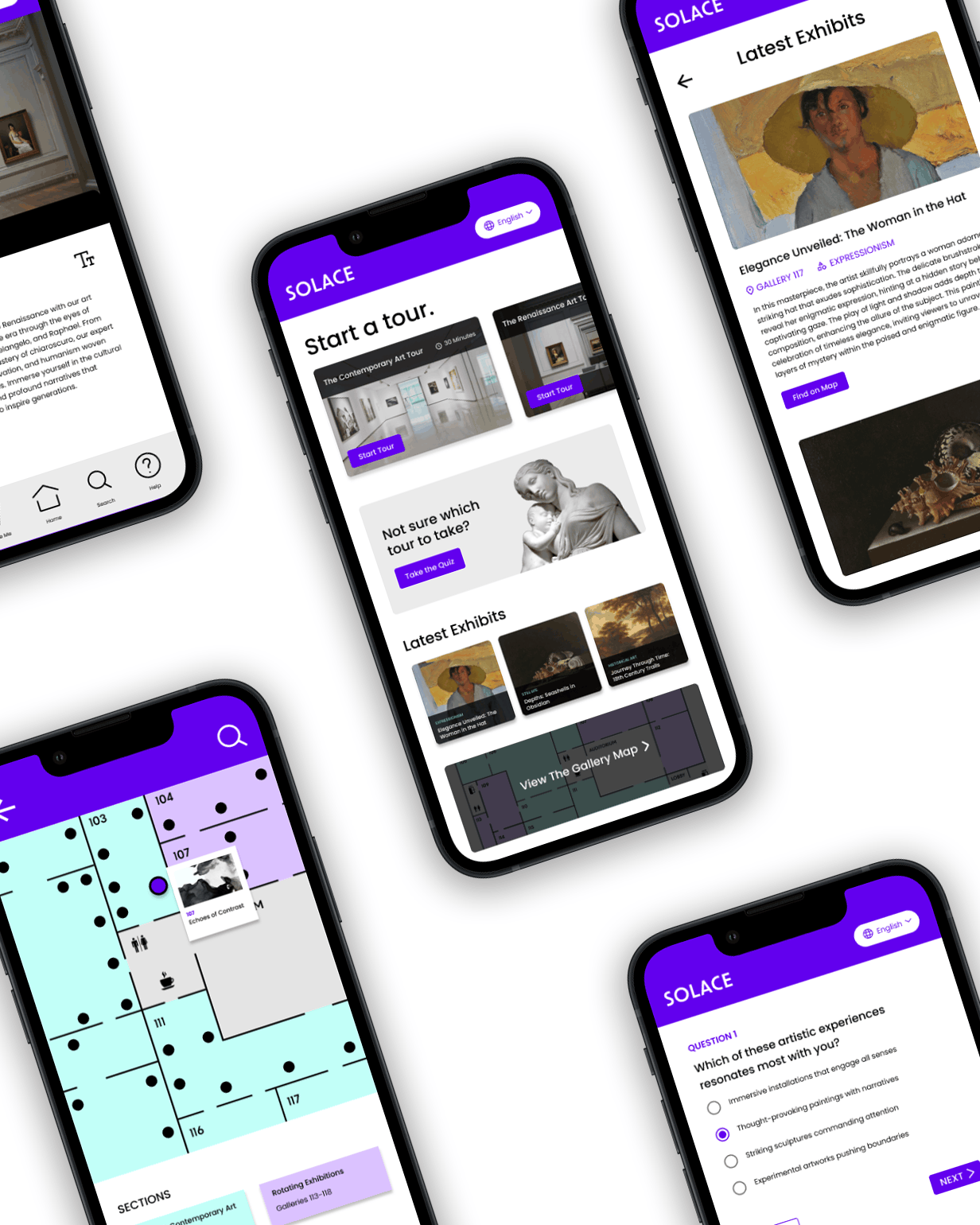
The option to change the language in the app was added to make it more accessible for users who speak a variety of languages. The ability to enlarge the text within the app tours was added to make the app more accessible for users who may be visually impaired. Audio versions of each stop on the tour were added to read the art descriptions aloud for those who may be visually impaired.
The Impact
The product will provide the experience of an effortless art gallery tour for users of all kinds. One user study participant commented stating that the app was pleasant and easy to use.